
Start from a package, carry on with your own site.
A Market package brings pages, content structure, data and code together. Once installed it is your site, and you edit it without switching tools.

Catalogue
The launch collection is in the works.
Nothing has been published on Market yet. Once the first packages go live, you will be able to search and filter them by type here. Until then, KullyaLib shows you how to build your own site.
Four kinds of package
Every Market package is the package of a working site and installs as a new site. Its type tells you what that site is for.
- Website
A complete website with its pages, layouts and content. Install it and fill it with your own content.
The Market screen in the panel is already used to search packages, filter them by type and topic, and install them as a new site.
Available in the panel- E-commerce
A store-ready site: the product, cart and order structure comes with the package.
When you share a site as a template, the panel asks you to pick one of these four types.
Available in the panel- Application
A portal or business application with its own data model and code.
Market's type filters work with the same types you pick when sharing.
Available in the panel- Tool
A small utility site or tool that does one job.
Like the other types, a tool installs as a full site package and can be edited afterwards.
Available in the panel
What a package can carry
Packages are more than looks. Anything you can pick when exporting can go into a package.
Presentation
- Pages
- Layouts
- Views
- Scripts
- Styles
- Images
Content
- Content types
- Content folders
- Content items
- HTML blocks
- Labels
- Texts
- Menus
- Files
Data and logic
- Database
- Code
- Forms
- OpenAPI definitions
- Modules
Automation and settings
- Scheduled jobs
- Front-end events
- Authentication
- SPA multilingual
- Site settings
- Full site package
- The whole site in one package. It opens as a new site when installed.
- Selected objects package
- Export only the types you choose, such as pages and content types.
- Checked before sharing
- Before a site is shared as a template, it is checked for database connection details. Anything found is shown masked on screen.
Find, review, install, edit.
The Market screen in the panel takes you through four steps.
Find
Search by name, then filter by type and topic.
Review
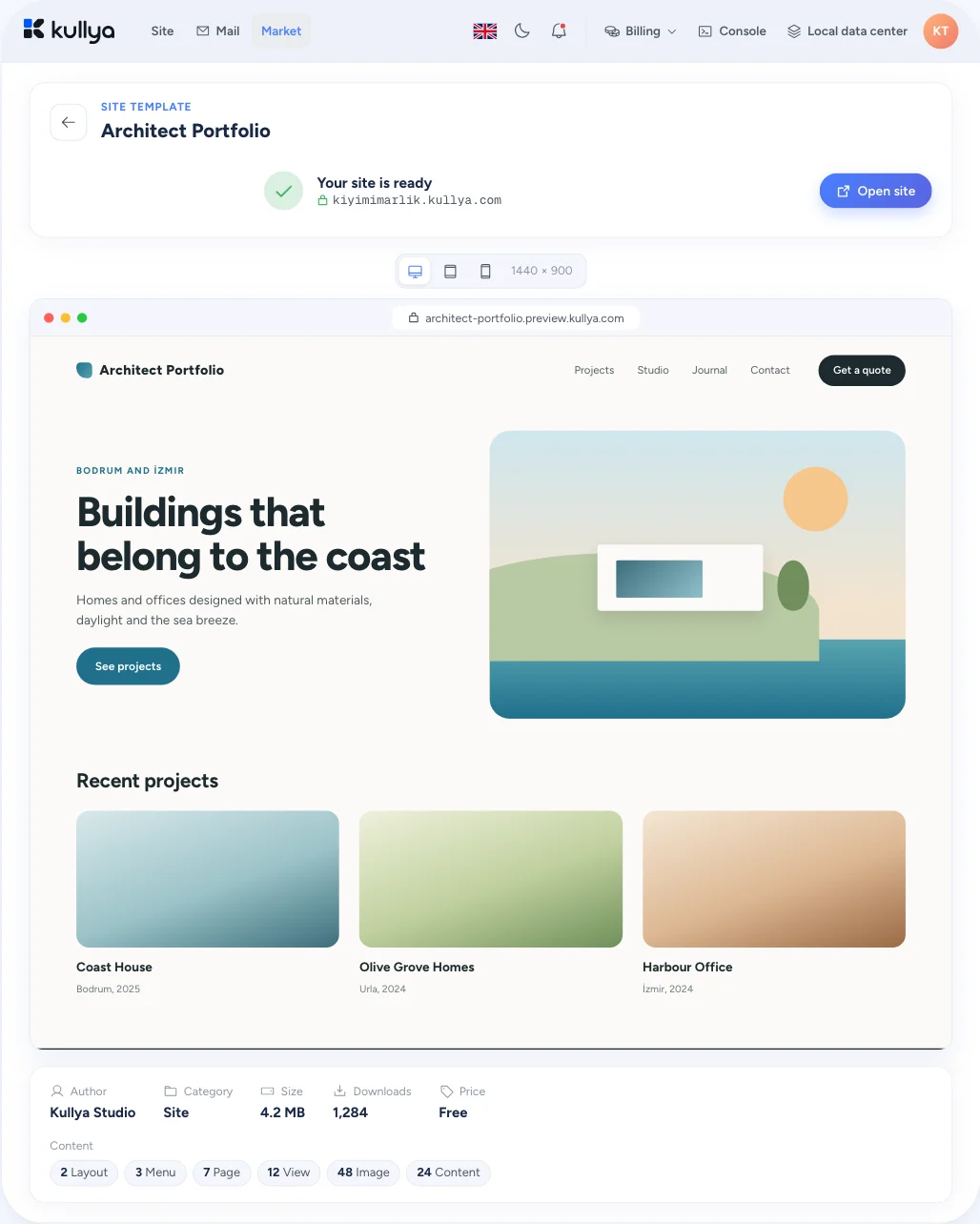
The detail page shows a preview, how many pages, layouts, views, images and content items the package holds, its size and when it was last updated.
Install
Pick a site name and a domain. The package is installed as a new site.
Edit
The site is now yours. Keep changing it with the visual editor or in code.
Installing needs a Kullya account. If you are not signed in, you go to the sign-in screen first and come back to Market afterwards. Some packages can only be installed on certain plans, and that is shown on the package.
You can also start from your own package.
Export a site and reuse it on another site or with your team.