
Your store belongs inside your site.
Keep products, orders and customers in the panel where you already run your site. No separate store platform, no connector plugins holding the two together.
When the store lives somewhere else
Most businesses run the website in one tool and the store in another. Product pages sit in one system, stock and orders in a second, and plugins or manual exports fill the gap. Every change is made twice, and whatever gets missed ends up in front of a customer.
Commerce data lives in the site
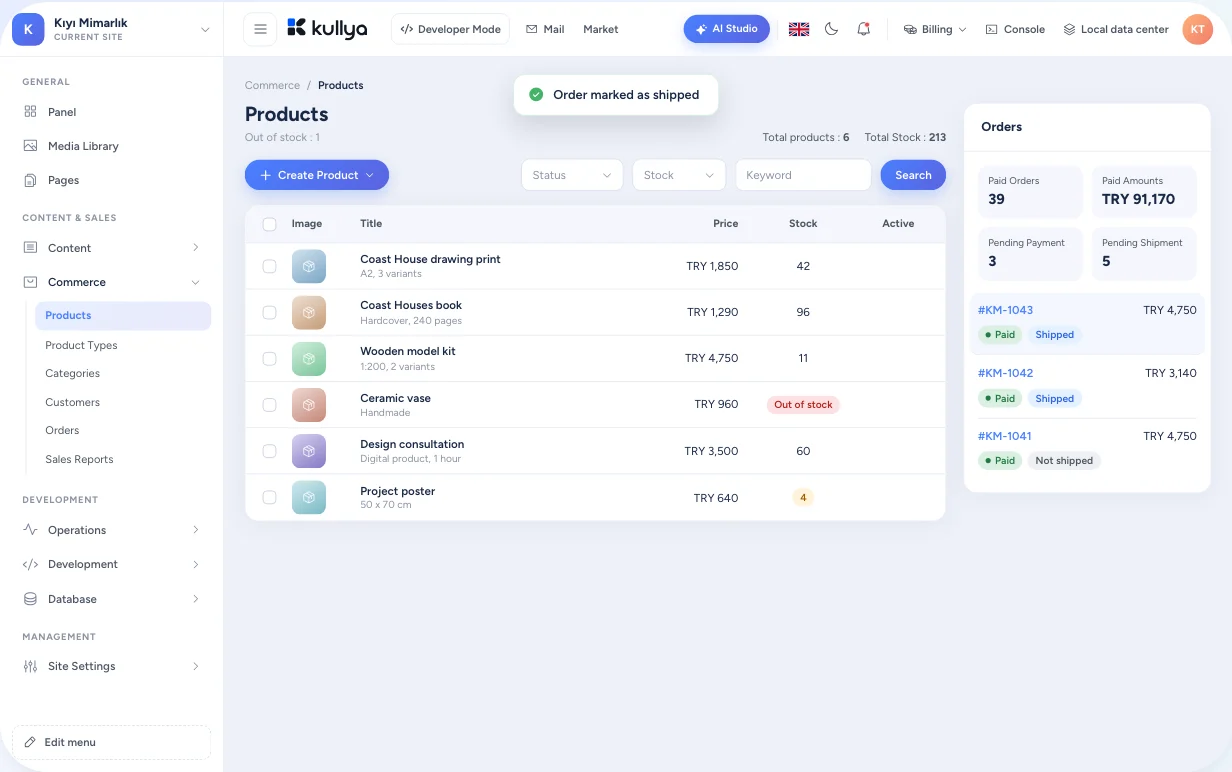
In Kullya, products, categories and orders are stored in the same site as your pages and content. You design with the templates you already use for pages and manage the data from the same panel.
- Product and order data sit alongside your site
- Order events trigger email notifications and webhooks
- Product names and descriptions can be written per language
- Developers work with products and carts through KScript
A sales flow in the panel
Define a product type
Decide which fields and options your products carry. Options such as size or colour become variants.
Add products
Enter images, price, stock and category. For digital products, attach the files customers will download.
Set shipping, tax and currency
Define delivery options, tax rules per country and the currencies you sell in.
Run a discount or points campaign
Set up discount codes and conditions, and add loyalty points or membership rules if you need them.
Follow the order
Track payment and delivery status from the order screen, and cancel or mark shipment when needed.
Review sales
See what sells with daily, per product and per order sales statistics.
What you can do
Catalogue and stock
Product types, categories, option groups and variants. Each variant carries its own stock and price, and digital products get the files to deliver.
From cart to order
Customers, addresses, carts and orders stay in one flow. You can build a cart in the panel, turn it into an order and manage payment and delivery from the order detail.
Discounts, loyalty and membership
Conditional discounts and codes, rules for earning and spending points, membership tiers. Define a rule once and the cart total follows it.
Tax, shipping and currency
Tax by country, physical and digital delivery options, multiple currencies. You can also choose which regions you sell to.
Notifications and webhooks
Send an email or call your own system through a webhook when an order is created, paid, delivered or cancelled. Delivery history is visible in the panel.
Payment layer
Payment providers plug into a shared payment layer, and the result is recorded on the order. The provider ready for live use today is iyzico: payment is taken on iyzico's own payment form in TRY, USD or EUR. Other providers join this list once they are verified in live use.
You stay in control
- Access to commerce screens follows team roles, so the person managing products does not have to see every order.
- Raw card numbers and security codes are stripped before a payment record is stored.
- Webhook and email notification history is kept in the panel, including failed deliveries.
- Payment provider contracts, tax and legal obligations stay with the store owner. Kullya gives you the tools to manage them.
Who it is for
- Businesses
- A business adding sales to its site starts selling without moving products and orders into a second system.
- Agencies
- An agency delivering a site with a store keeps design and commerce data in a single project.
- Content teams
- Marketing teams prepare the campaign page and the discount rule from the same panel.
- Developers
- Developers customise cart and order logic with KScript and push order events to their own systems through webhooks.
- Operations teams
- Operations teams follow payment and delivery status on each order, and find failed webhook and email notifications, with the error, in the delivery logs.
Build your store together with your site.
Describe your idea, create the site, then add your products.