
See what depends on what before you change it.
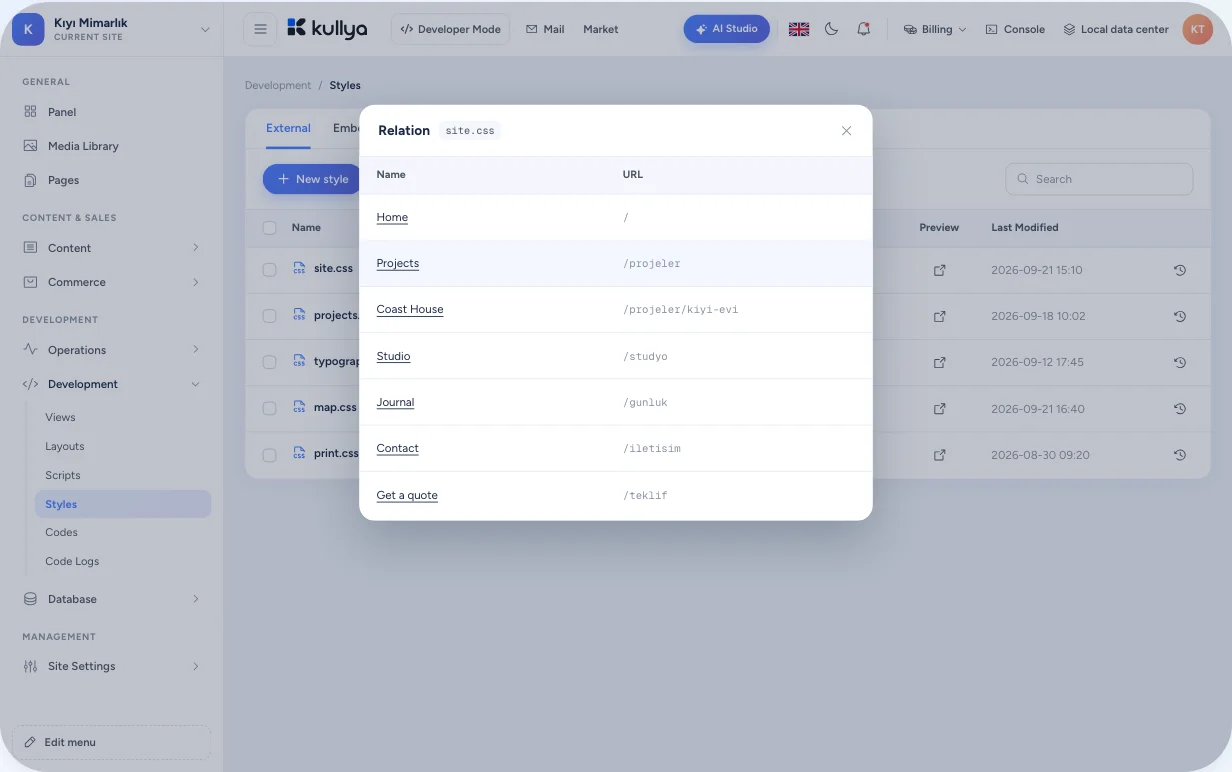
Before you change an image, style or URL, the list shows the pages, layouts and views that use it. Deleting something stops being guesswork.
What you deleted was used somewhere else
You clean up an image or style that looks unused, and a week later another page turns out to be broken. You change a URL and have to hunt down every page that links to it. When dependencies aren't written down anywhere, every change is a risk.
Links are worked out when you save
When a page, layout, view, HTML block or content item is saved, Kullya scans its body and stores the objects it uses as relations. When an object is deleted, its relations are cleaned up too. It isn't a separate database, it's an index built from your site's own records.
- Updated on save, cleaned up on delete
- Lists show who uses an object, grouped by type
- Change a URL and the objects linking to it follow
- External resources are found and can be brought into the site
Changing a style safely
Open the style list
On the Styles screen under Development, each style shows tags for the objects that use it.
List who uses it
Click the page or layout tag; the objects using the style open with their names and URLs.
Weigh the impact
Jump from the list to the pages involved and see what the change will touch.
Change or remove
Update the style. When you remove something unused, you already know which pages it would have affected.
Which links are tracked
Page structure
Tracks which layout, views, menus and HTML blocks a page uses. The data sources behind views are part of the relation too.
Styles and scripts
External and embedded styles, CSS rules, embedded and external scripts, KScript code and resource groups are linked to the objects that use them.
Images and video
Images in pages and content fields, image URLs inside CSS and video links are tracked. The media library shows how many places use each image.
Links and URLs
In-page links are tied to URLs. Change a URL on the URLs screen and the objects linking to it are updated as well; URLs that couldn't be found are collected in their own list.
Labels, forms and settings
Translation labels, embedded forms and configuration values are stored as relations to the pages or views that use them.
Bringing external resources in
Styles, scripts and images loaded from another server show up in the external resource list. Bring one into the site and the objects using it switch to the local copy.
Limits
- Relations are kept only for the object types Kullya scans; URLs built at runtime inside KScript and links coming from outside are not covered.
- An object's relations are refreshed when that object is saved; a save that doesn't change its body doesn't recalculate them.
- Usage tags inform you; whether to delete an object is your call.
- The not-found list is built from requests to your site that had no match; you can bring an old URL back to life with an alias.
Who it's for
- Businesses
- Tidy up your site with less risk of breaking a page that still matters.
- Agencies
- Take over a site someone else built and quickly map where each piece is used.
- Content teams
- Know which pages show an image before you replace it.
- Developers
- Change URLs and move external resources without searching for links by hand.
- Operations teams
- Operations teams see requests with no match in the not-found list, and bring a moved page's old address back to life with an alias.
Look before you change
See in the panel who uses an object, then decide.