
Campaigns that know your site's data.
Build subscriber lists, campaigns and automated email journeys on the same platform as your site. Personalisation does not require exporting data to a separate service.
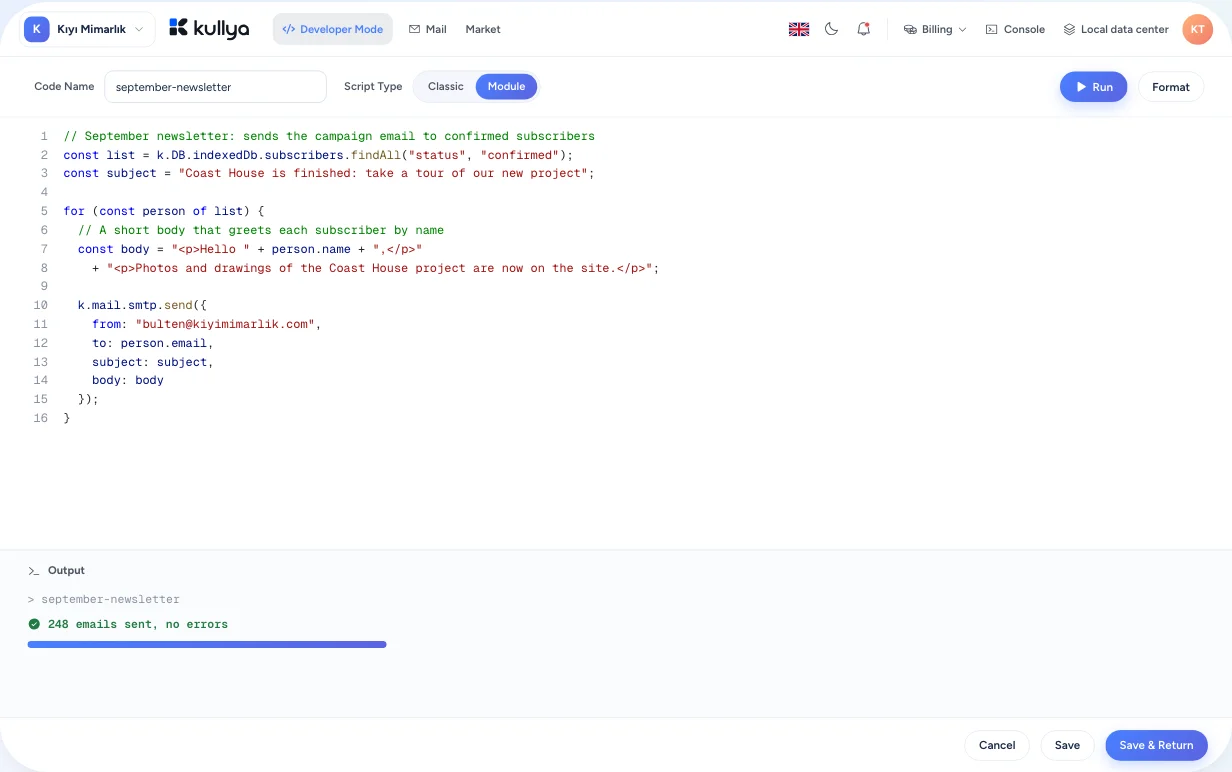
Used through KScript today; it has no dedicated panel screen yet.
A separate email tool means a separate copy of your data
Email marketing usually runs in a service disconnected from the website. Subscribers get exported there, site changes arrive late, and personalisation needs another integration. Over time the two records of the same customer drift apart.
Sending runs next to your site
Kullya's email marketing engine runs on the same platform as your site. Lists can draw on the site's own data, and campaign content is prepared for each recipient at send time.
- Use a site data table as a recipient list
- Generate subject and content per recipient
- Bounced and unsubscribed addresses drop out of sends
- Developers reach the whole engine through KScript
How a campaign moves
Build your list
Collect sign-ups from a form, add addresses in bulk or connect a site data table as a list. Turn on double opt-in if you want it.
Prepare the campaign
Write the content or import a ready HTML or EML file. Add a short script for the parts that change per recipient.
Test two versions
Send two versions to part of the list. After the waiting time you set, the one with the higher open or click rate wins.
Send and watch
Follow send progress, opens and clicks, bounced addresses and unsubscribes.
Turn it into a journey
Build an automated flow from trigger, condition, delay and branch steps, and call your own system with a webhook step when you need to.
What you can do
Lists and sources
Sign-up forms, bulk address entry and lists fed from a site data table. Filters carve different audiences out of the same list.
Content per recipient
Personalise subject lines and content with scripts that run before the campaign and for each recipient. The data is already in the site, so there is nothing to sync.
Automated journeys
Flows built from trigger, condition, delay, choice, percentage split, email and webhook steps. A journey can start on a schedule or from an incoming call.
A/B testing
You choose the two versions, the size of the test group and the waiting time. The winner is picked by open rate or click rate.
Tracking and reports
Open and click tracking, bounces, unsubscribes and send logs are kept per campaign.
Control and responsibility
- Sends carry a one-click unsubscribe link, and unsubscribed or bounced addresses are left out of later sends.
- With double opt-in enabled, only recipients who confirmed receive mail.
- Collecting consent, keeping a record of it and following the law where you operate is your responsibility as the sender. Kullya provides tools for this and does not guarantee legal compliance.
- Deliverability depends on correct SPF, DKIM and DMARC records for your sending domain. Checking them is a step to take before you send.
Who it is for
- Businesses
- A business sending regular newsletters and offers keeps its subscriber list in the same place as its site.
- Agencies
- An agency runs a client's site and email campaigns in one project without moving data between services.
- Content teams
- Marketing teams test two subject lines and send the winner to the rest of the list.
- Developers
- Developers manage lists, campaigns and journeys with KScript and connect steps to their own systems through webhooks.
- Operations teams
- Operations teams track bounces and unsubscribes per campaign, and those addresses drop out of later sends on their own.
Build your site, then talk to your audience from the same place.
Create your site first, then set up your subscriber list and first campaign.