
Not a speed claim. How it works.
We explain how Kullya builds a page, what it caches and how it serves many sites. Numbers will follow once an independent benchmark is done, published together with its method.
Pages rebuilt from scratch on every visit
On many sites every request re-reads the template, fetches the data again and assembles the page from zero. Each extra plugin makes that chain longer. Speeding it up brings in caching plugins, separate compression settings and image optimisation services, each with its own configuration.
Templates parsed once, caching by choice
Kullya parses a page template on the first request, turns it into a render plan and keeps it. Later requests skip the parsing and only bind data. Whether the output itself is cached is your decision, page by page and view by view.
- Templates are not re-parsed on every request
- Caching is switched on per page and per view
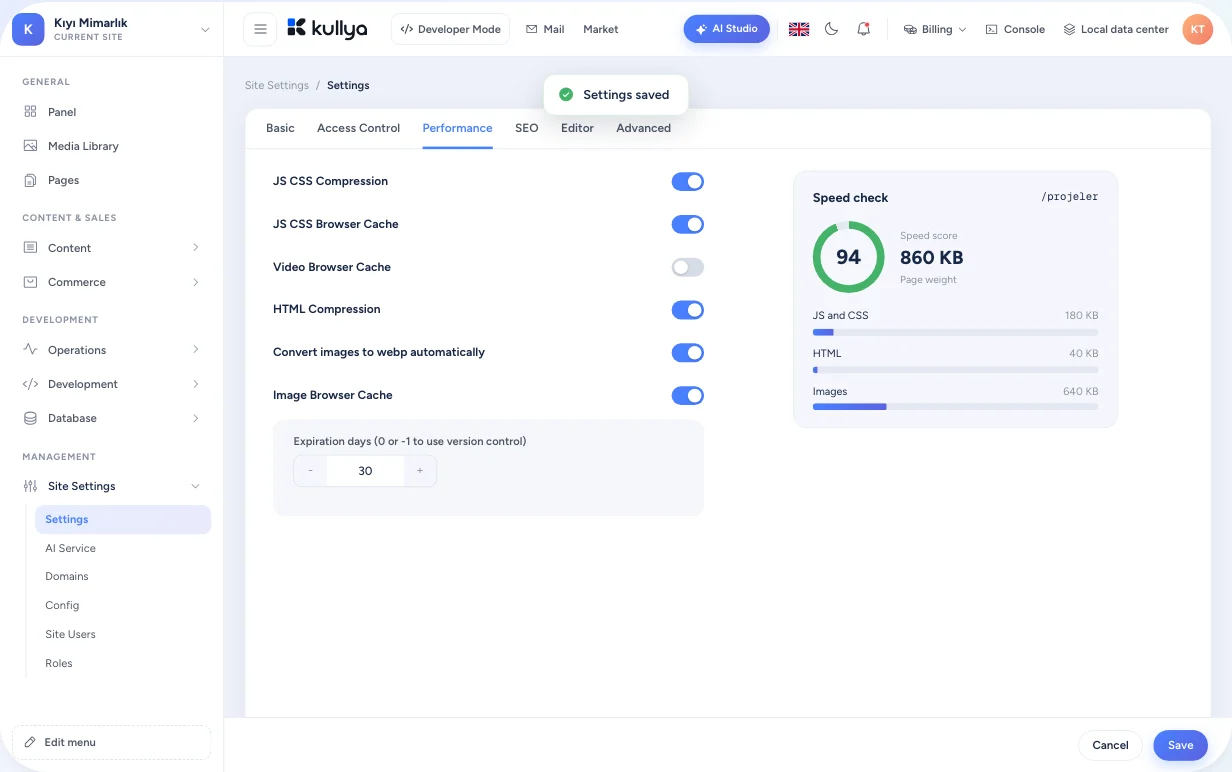
- Compression and browser caching in site settings
- One installation serves many sites by domain
Speeding up a page in the panel
Turn on page caching
Enable caching in the page settings and choose how long the output is kept.
Choose how the cache is split
Keep separate copies of the same page per device, language, content version or selected query parameters.
Cache a busy fragment on its own
Give a view that repeats across pages its own cache setting, while the rest of the page stays dynamic.
Review site settings
Switch on JS and CSS compression, HTML minification, browser caching and WebP conversion for images in the advanced settings.
Architecture
Render plan
Page, layout and view templates are parsed once into a list of render tasks. The plan is kept in memory and reused on later requests.
Dynamic and cached pages side by side
A page with caching off is built with fresh data on every request. A page with caching on is served from stored output, split by the criteria you chose. Both run in the same site.
Compression and browser caching
Responses are compressed when the browser supports it. Browser caching is managed separately for JS, CSS, images and video.
Image optimisation
Images can be converted to WebP, smaller copies are generated and cached, and width and height can be added to img tags.
Many sites, one installation
A single Kullya installation hosts many sites. Each request is routed to its site by domain, and every site keeps its own data and cache.
Honest about measurement
- This page gives no figures for response time, concurrent users or sites per server.
- When an independent benchmark is run, the test setup, hardware, data set, method and p50, p95 and p99 results will be published here.
- Real speed depends on your site's design, data volume, cache settings and hosting environment.
- On your own site, visitor logs show the response time of every request.
Who it is for
- Businesses
- A business tunes its site from the panel instead of installing separate caching plugins and services.
- Agencies
- An agency hosts many client sites on one installation and manages each site's cache settings separately.
- Content teams
- Content teams leave frequently updated pages dynamic and cache the campaign page.
- Developers
- Developers decide, view by view, which parts of a page come from cache and which from live data.
- Operations teams
- Operations teams switch JS, CSS and HTML compression, browser cache lifetimes and WebP image conversion on and off in site settings.
Try the architecture on your own site.
Create your site, turn on caching and follow response times in the visitor logs.