
Start from something ready. Take a working site with you.
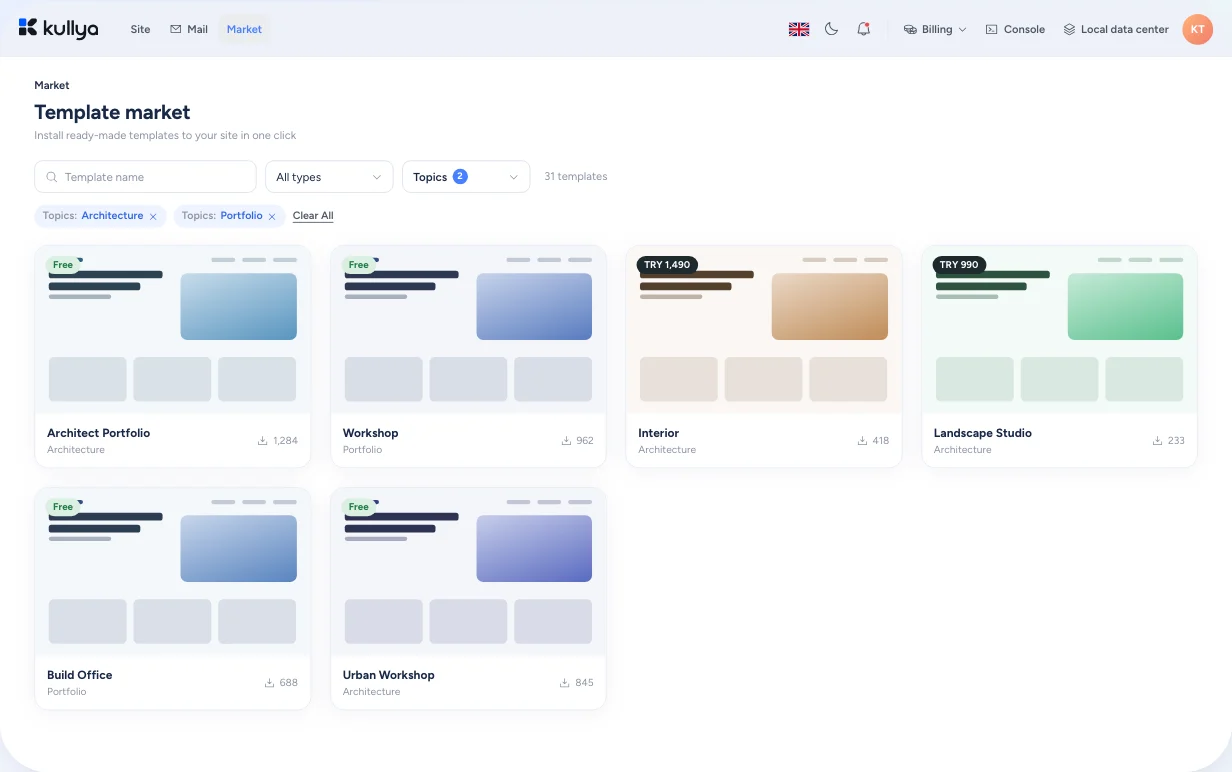
Preview a template in the Market, choose a site name and domain, and install it. Export your own site, or the parts you pick, as a package and bring it somewhere else.
A theme is a look, not a site
Most themes only carry the look. Content structure, menus, forms and code get rebuilt by hand afterwards, and moving a site elsewhere means juggling export tools piece by piece.
A package carries the site itself
In Kullya, a template is a package of a working site. Install it and the pages, layouts, views, menus, images and content arrive together, ready to edit.
- The template detail shows which pages, layouts, views, menus, images and content come with it.
- Preview in full screen, tablet and phone views before you install.
- Package the whole site, or only the object types you choose.
From template to working site
Find a template
Filter the Market by topic, or search by text.
Look at the details
Preview the template at different screen sizes and see which pages, views and content it brings.
Pick a site name and domain
Enter a name and address for the new site. If the name is already taken, you're told before installing.
Install
Kullya creates a new site for you from the template.
Edit the working site
The site is yours: keep changing it with the visual editor, with AI or in code.
What a package can carry
Selected-object package
Pick what to export from pages, views, layouts, images, scripts, styles, content and content types, HTML blocks, labels, menus, database, code, forms, OpenAPI, scheduled jobs and modules.
Full-site package
Export the site as a whole, then import it into another site or Kullya installation.
Share your own template
Share one of your sites as a template. It goes through an eligibility check first, and what you share stays in your personal list.
Modules
Add or import reusable modules, configure them and read their notes.
Plan-based templates
Some templates may be reserved for members or specific plans. If you don't have access, the screen says so before you install.
What happens when you move a site
- Packages don't carry publishing-target credentials; you reconnect publishing after installing.
- Shared template packages leave out the site's edit history.
- Module archives are checked against size and file-count limits before they're unpacked.
- Only users with export permission on the site can export it.
Who it's for
- Businesses
- Instead of starting from zero, open with a template close to your business and make the content your own.
- Agencies
- Package a structure once and start every new client project on the same foundation.
- Content teams
- The pages and content types that come with a template are ready; you change the words and images.
- Developers
- Move views, scripts, forms and APIs between sites with a selected-object package.
- Operations teams
- For operations teams, module archives pass size and file count limits before they are unpacked, and packages never carry the credentials of publishing targets.
Browse the Market
Preview a template, or put together a package of your own.