
Your domain, site and mail in one place.
Connect your domain to your site, request an SSL certificate and open email addresses on the same domain. The panel shows plainly which step is still pending.
Four panels for one domain
The domain sits with one company, DNS with another, the site on a server and email in a separate service. One wrong record and the site won't load or mail won't send, and finding which panel is at fault takes hours.
Your domain, managed like a site setting
In Kullya a domain is added to your account, bound to a site and used for email too. Ownership, DNS, certificates and mailboxes appear connected in one console.
- Prove ownership with an A record, name servers or a TXT record
- Bind domains and subdomains to sites
- An SSL certificate per binding, renewed automatically
- Mailboxes, forwards and group addresses on the same domain
Taking an existing domain live
Add the domain
Add the domain to your account in the console. The panel shows the name server details and what to do next.
Verify ownership
Pick an A record, name server delegation or a TXT record. Once the record is in place, press Verify and the result is checked live.
Bind it to a site
Bind the domain or a subdomain to your site. On a multilingual site you can also dedicate a binding to one language.
Request SSL
Request a certificate for the binding. If validation needs a TXT record, the panel shows its name and value.
Open email addresses
Create a mailbox, forward or group address on the same domain and start using it in webmail.
What you can do
DNS records
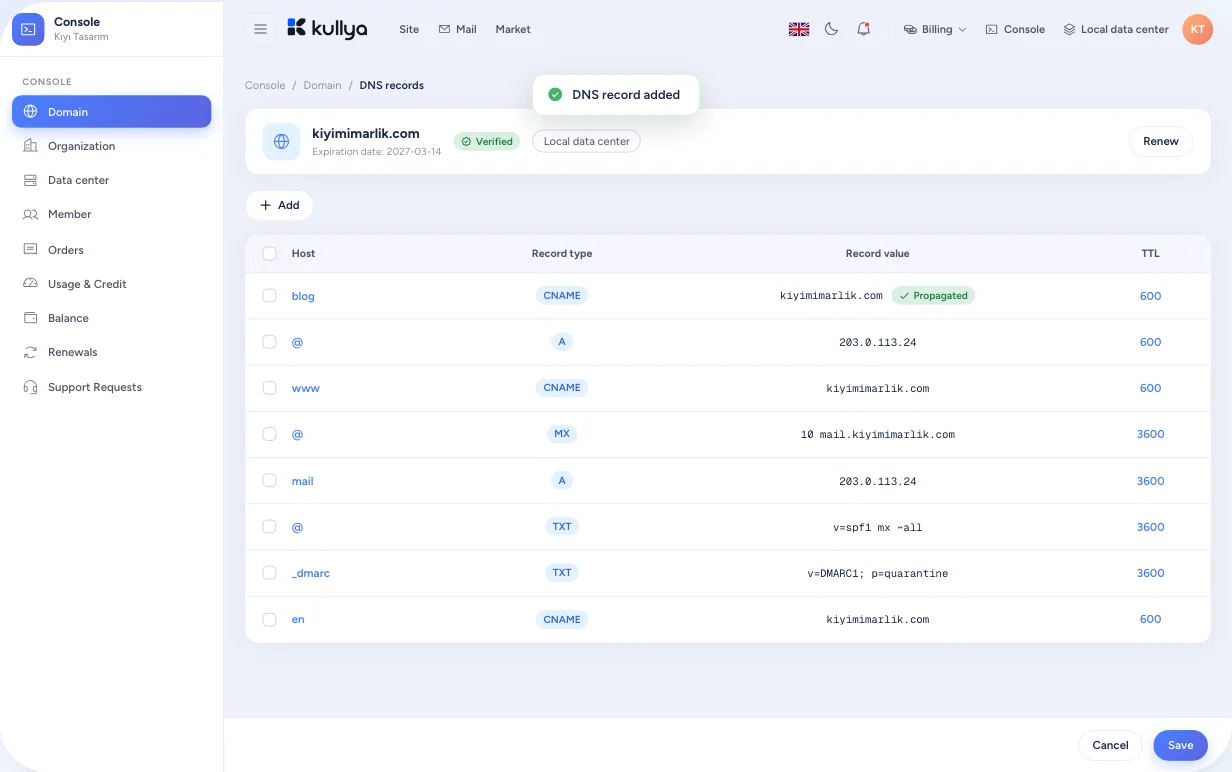
If your domain is delegated to Kullya's name servers, add and remove A, AAAA, CNAME, MX and TXT records from the console.
Site bindings
A site can have several domains and subdomains bound to it. Each binding shows its own certificate status in the list.
SSL certificates
Certificates are requested per binding and checked regularly so they renew before they expire. You can redirect every visit to HTTPS if you want.
Mailboxes and address types
Beyond regular mailboxes, set up addresses that forward elsewhere, group addresses that reach several people and a wildcard address that catches everything sent to the domain.
Webmail and mail apps
Read mail in the browser with webmail. For phone or desktop apps, get the IMAP and SMTP details and a separate authorization code from the panel.
Migration and security reports
Set up a job to move messages from your old mail server over IMAP. Incoming mail is checked against SPF and DKIM, and DMARC reports have their own screen.
Outside factors and limits
- DNS changes take time to propagate, and how long depends on your registrar and DNS provider. The panel shows exactly which step is pending.
- Issuing a certificate depends on the certificate provider and a correct DNS record; if validation doesn't finish, it shows as an error in the binding list.
- Buying, transferring and renewing domain registrations isn't done in the panel today; you manage those with your current registrar.
- Ownership is checked when you bind a domain, so a domain that belongs to someone else can't be bound to your site.
- Migration covers the inbox, sent and your own folders only; some old servers only hand over recent messages in certain folders.
Who it's for
- Businesses
- Manage your domain, site and company email from one account instead of juggling separate services.
- Agencies
- Verify client domains, bind them to sites and follow certificate status from a single list.
- Content teams
- Opening a subdomain for a campaign and pointing it at the right site takes a few steps.
- Developers
- Configure DNS records, bindings and IMAP and SMTP access from the same console.
- Operations teams
- Operations teams see certificate errors for each binding in the binding list, and pick up the pending DNS record for a certificate on the same screen.
Connect your domain and go live
Verify ownership, request a certificate and open your first email address.